Azure blobstore Langscape
Description
The Azure blobstore Connection holds all necessary configuration properties to connect to the Microsoft Azure blob storage.
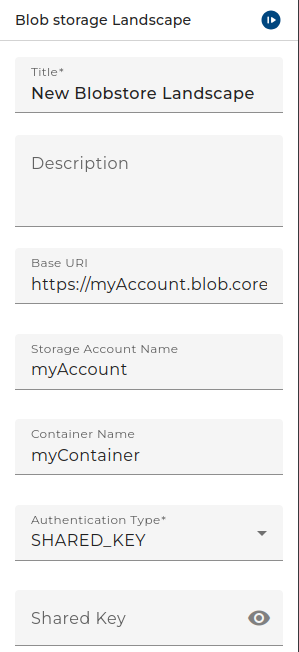 |
|---|
| Base view of the environment Entry Azure Blobstore Landscape |
The Azure URL is typically built according to the pattern https://<storageaccount>.blob.core.windows.net/
The Storage account is the name of your account on the microsoft blob storage.
If you set another Storage account the Azure URL will automatically change if it follows the above pattern.
If you want to use another -non-Azure- URL, e.g. to an Azurite server, deselect the checkbox; then the text field is editable.
Your blobs (aka files) are stored in a Container denoted by the Container name. The Container name is the path to the Complete URL.
Orchestra supports Shared Key and Client secret authentication:
If you select Shared key you must enter the shared key in the according field. The shared key is a base64 encoded String.
If you select Client secret you must select an Access key credential in the adapter. The access key is a credential of type Technical login. There the access key id is stored as username and the access key secret is stored as password in the according fields of the authentication method Username/Password.